Shops
MU Online has two kinds of shops: NPC shops — the in-town vendors who buy and sell gear, potions and materials for Diamonds — and the X Shop (Cash Shop), the premium store you open with the X key. Pick a tab below.
Every town and hunting map has NPCs who buy and sell items. Below is the full list of shop NPCs on the server, grouped by map — click View items on any NPC to see exactly what they sell.
Arena
Loren Market
Lorencia
Noria
Devias
Elbeland
Atlans
Tarkan
Aida
Icarus
Karutan
Kanturu Relics
Acheron
Swamp of Calmness
Raklion
Deep Dungeon
Lost Kalima
Crywolf Fortress
Valley of Loren
Acheron (Arca Battle)
Boss Battle (entrance)
Kalima 1
Kalima 2
Kalima 3
Kalima 4
Kalima 5
Kalima 6
Quest Zone (entrance)
The Cash Shop is MU Online's premium marketplace. It lets you purchase exclusive items for your character — such as accessories, buffs, equipment and tickets — using either Diamonds (purchased with real money) or Event Points (earned in-game at a rate of 1 point per 10 minutes on Gold Channel servers).
How to Access
- The in-game interface in the left corner of the screen
- By pressing the X key
- Via the official website after logging in to your account
Currencies
- Diamonds — premium currency purchased with real money.
- Event Points — earned in-game at 1 point per 10 minutes while playing on Gold Channel servers.
Item Categories
Below is the live Cash Shop catalogue as configured on the server — grouped by category, with the price in Diamonds and/or Event Points and the available durations. Prices and items update automatically with the server config.
Seals & Buff Scrolls


Talismans & Statues


Rings


Pets
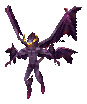


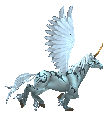
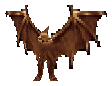

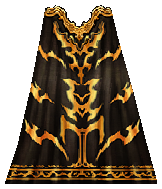
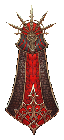
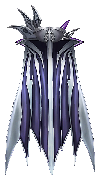
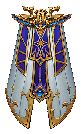
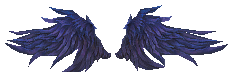
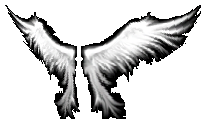
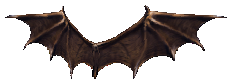
Wings & Cloaks

Oblivion Scrolls
Lucky Tickets

Ruud Boxes
Utility


Important Notes
- Time-limited items can extend up to 50 days.
- Buff compatibility varies — read the item descriptions before making a purchase.
- Premium items expire after one year of non-use.
- EXP buff stacking rules apply differently for normal versus master-level characters.
The Item Shop is our shop right here on the website, where you spend Diamonds to buy ready-made or custom items. Whatever you buy is delivered straight to your character in-game — no waiting, no trading.
How to open it
Log in to your account, then open Item Shop from the top menu (or go to /itemshop). You need to be logged in to shop.
How to buy — step by step
- Pick a category — weapons, wings, pets, sets, jewels and more are grouped into categories.
- Choose an item and set it up the way you want: item level, options, Excellent options, Luck, Skill, and so on. The price updates live as you change things.
- Add it to your cart. You can add as many items as you like before paying.
- Check your Diamonds — your balance is shown at the top of the shop. Add a coupon code first if you have one.
- Checkout. Your Diamonds are deducted and the item is sent to your character in-game (inventory or warehouse).
Where do Diamonds come from?
Diamonds are the shop currency. You can get them from the Store or through events and promotions. Your current balance always shows at the top of the Item Shop.
Good to know
- Coupons & discounts can lower the price — enter your coupon before you check out.
- The item you receive is exactly the one you configured — options, level and all.
- Items are delivered in-game, so make sure you have free space in your inventory or warehouse.